
BrainMix Promo Effects
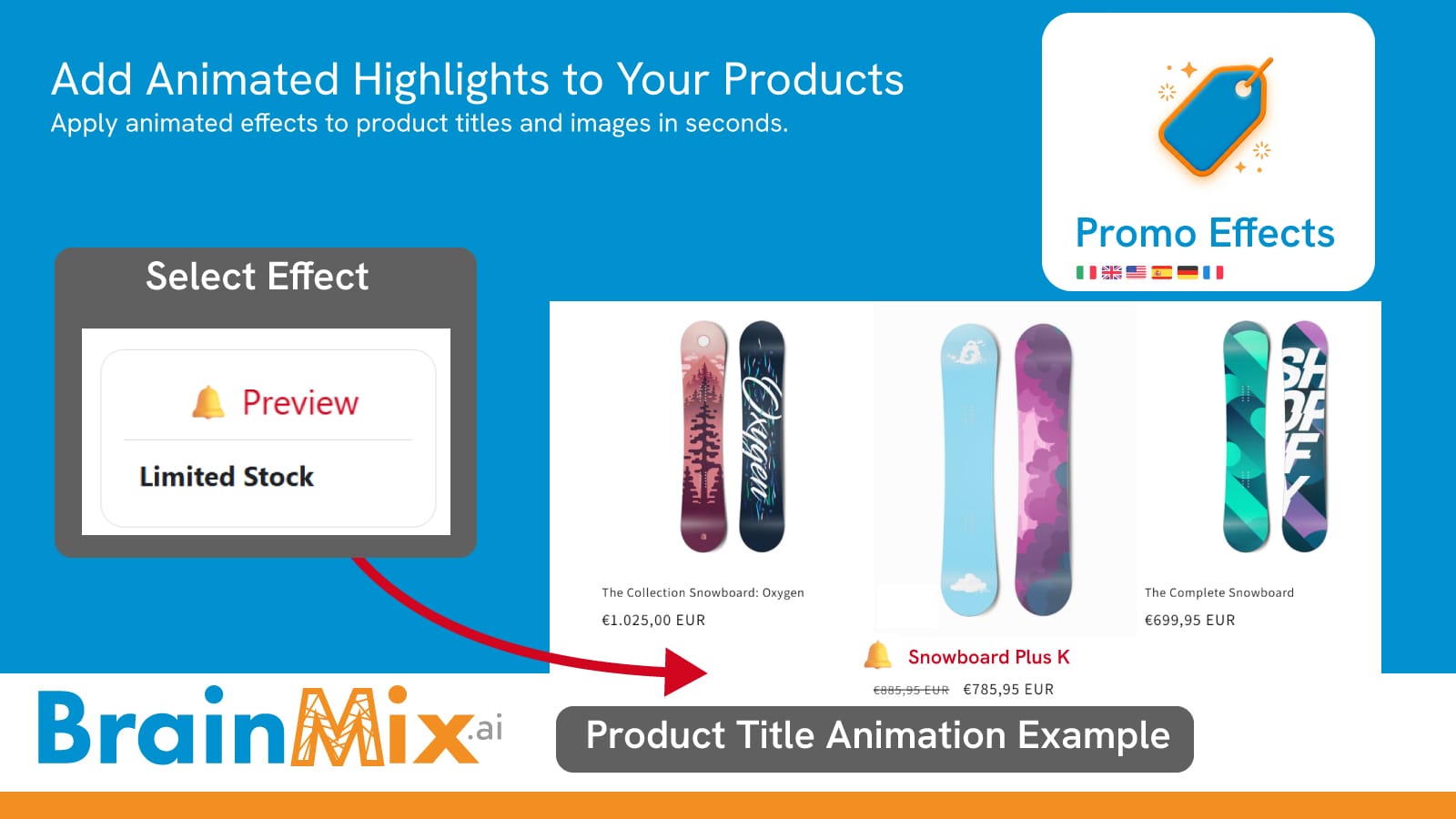
BrainMix Promo Effects aiuta i commercianti Shopify a mettere in evidenza i prodotti utilizzando animazioni leggere e badge promozionali. Applica effetti accattivanti ai titoli dei prodotti o alle schede in pochi secondi, senza bisogno di codice. Realizzato interamente in CSS puro, garantisce un impatto nullo sulla velocità dello store. Gestisci e aggiorna facilmente gli effetti tramite una dashboard semplice, con animazioni avanzate.
- Applica istantaneamente effetti promozionali animati ai titoli dei prodotti
- Animazioni CSS ultra leggere senza alcun impatto sulla velocità dello store
- Cambia effetto in un attimo senza modificare il codice del tema
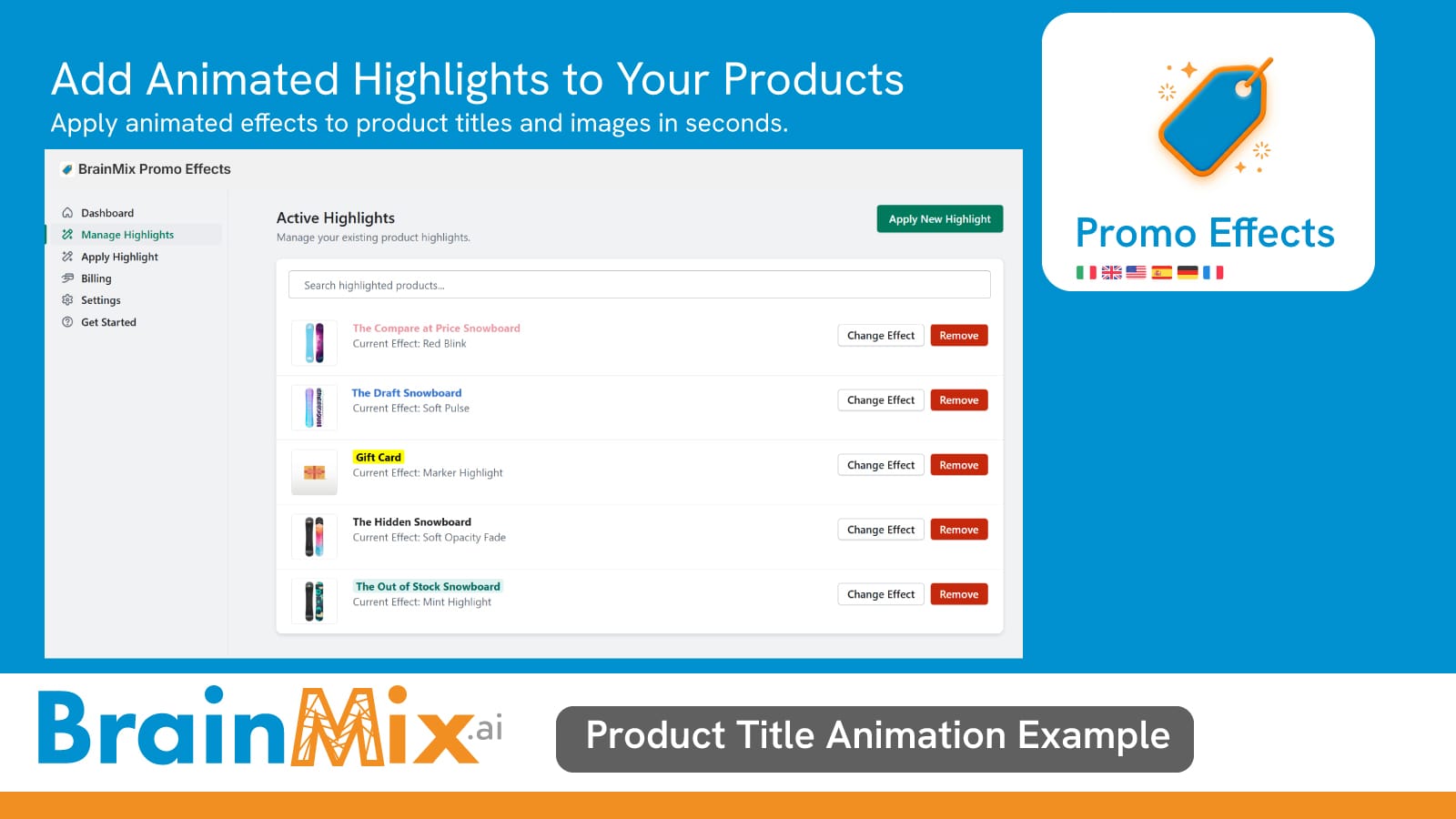
- Gestisci e aggiorna gli effetti promozionali in qualsiasi momento
- Completamente compatibile con i temi Shopify 2.0
Come usare l'App Promo Effects
1. Scegli il Prodotto
Dalla tua Dashboard, clicca su "Crea effetto promo". Usa la barra di ricerca per trovare il prodotto desiderato (la nostra ricerca scansiona l'intero catalogo del tuo store). Seleziona il prodotto cliccandoci sopra; vedrai una spunta di conferma.
2. Scegli l'Effetto
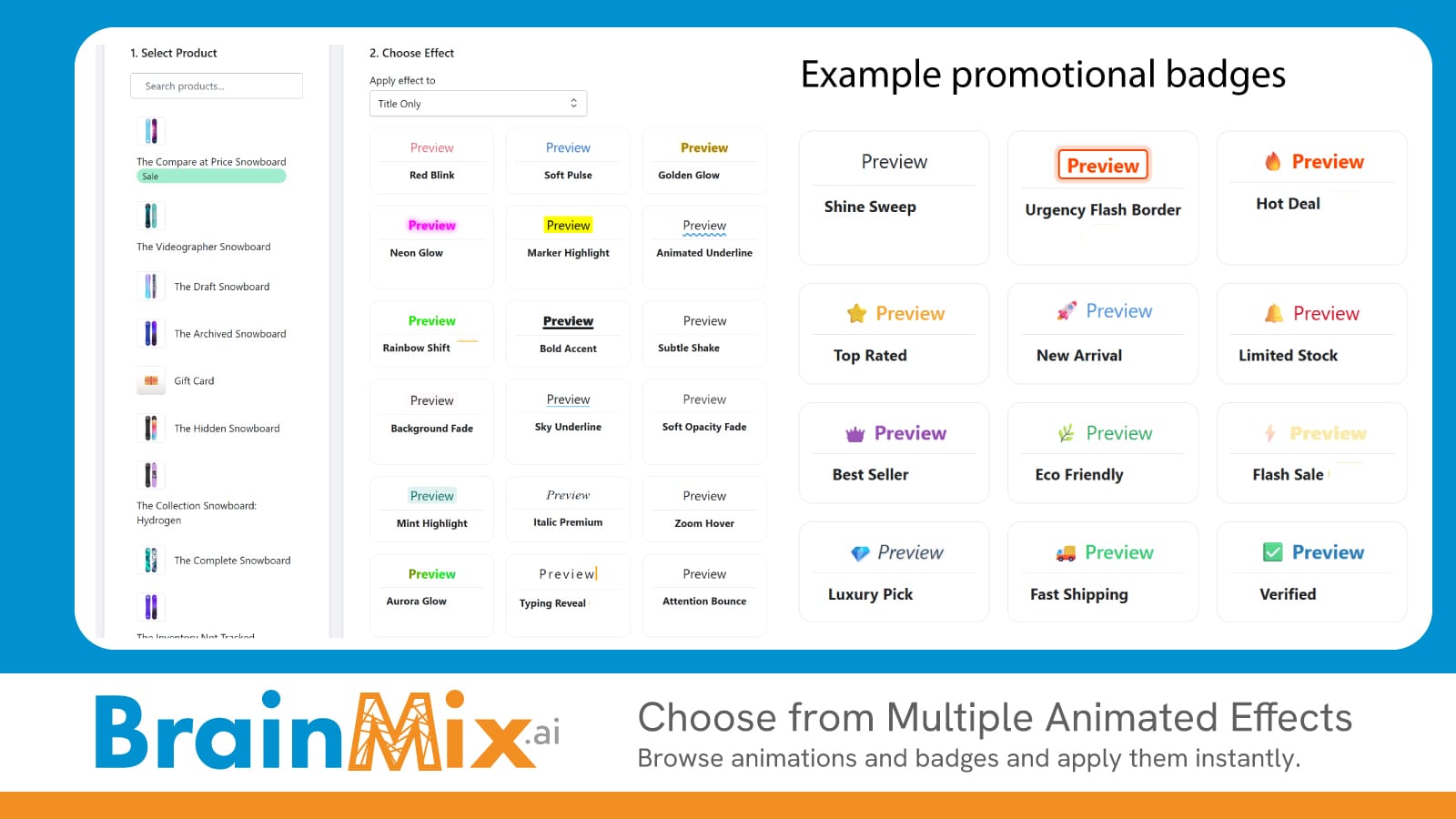
Nella colonna di destra, sfoglia la nostra libreria di effetti. Puoi scegliere se applicare l'effetto solo al Titolo o a Titolo e Immagine (Card completa). Seleziona uno degli stili disponibili (es. Red Blink, Golden Glow, Marker Highlight).
Nota: Alcuni effetti premium sono disponibili solo con il piano PRO. Vedrai un'anteprima in tempo reale con il nome del tuo prodotto.
3. Applica e Salva
Una volta selezionati prodotto ed effetto, apparirà un riquadro di conferma. Clicca su "Applica Highlight" in alto a destra. L'effetto sarà immediatamente attivo sul tuo store!
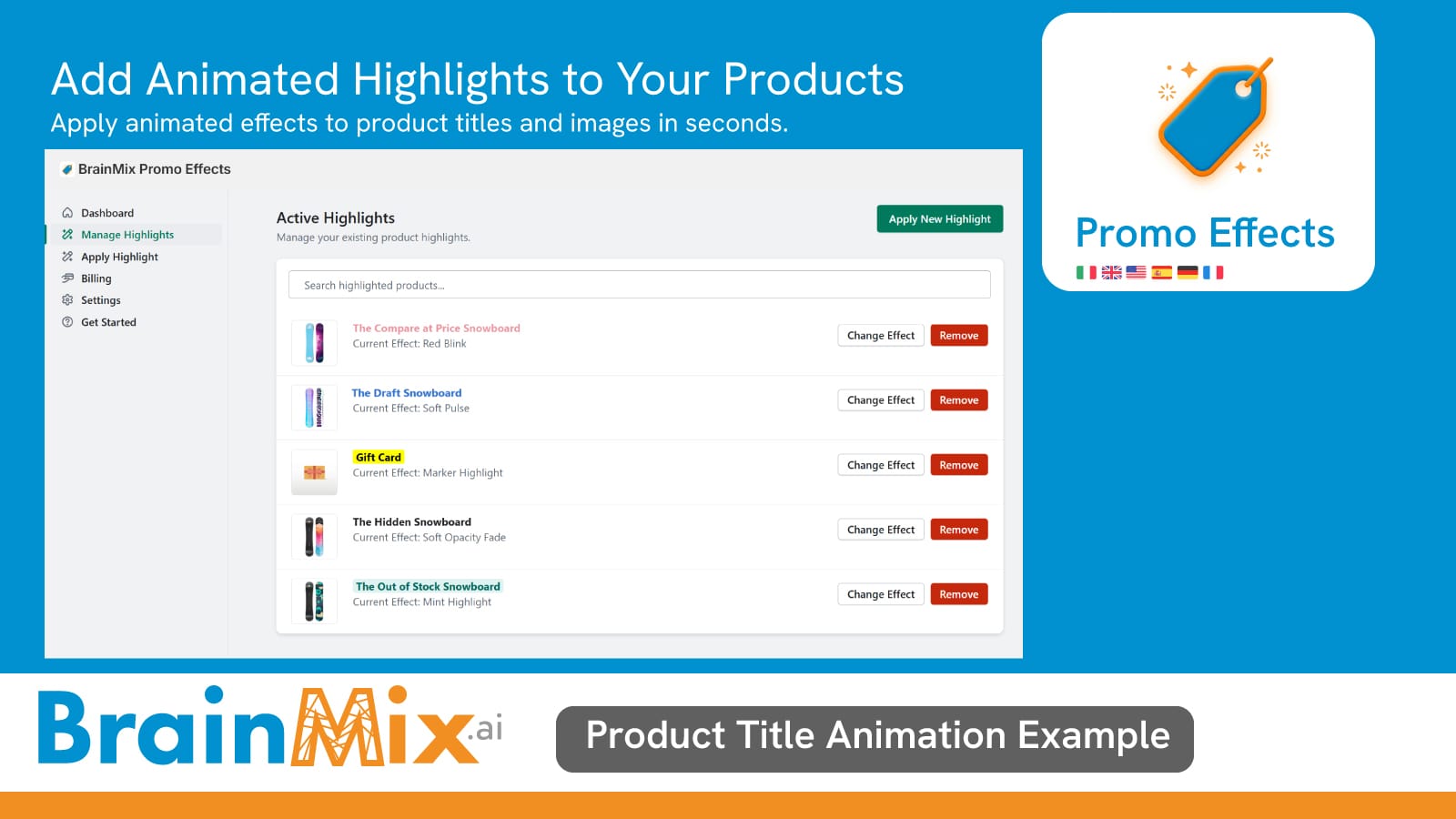
BrainMix Promo Effects
Aiuta i commercianti Shopify a mettere in evidenza i prodotti utilizzando animazioni leggere e badge promozionali
FAQ - Domande Frequenti
Gli effetti rallentano il mio sito? No. BrainMix è sviluppato per essere leggero e caricarsi in modo asincrono, garantendo che la velocità del tuo store Shopify non venga penalizzata.
Posso applicare più effetti allo stesso prodotto? Un singolo prodotto può avere un solo effetto attivo alla volta. Se ne applichi uno nuovo a un prodotto già evidenziato, il sistema sostituirà automaticamente quello precedente.
Perché non trovo il mio prodotto nella ricerca? La nostra ricerca scansiona l'intero catalogo. Assicurati di aver completato l'inserimento del nome e di attendere un istante (mezzo secondo) affinché l'app interroghi il tuo store e ti mostri i risultati aggiornati.
Qual è la differenza tra il Piano Free e il Piano PRO?
- Piano Free: Accesso a effetti standard (Blink, Pulse, Highlight, Fade) e limite sul numero di prodotti evidenziabili contemporaneamente.
- Piano PRO: Accesso a effetti esclusivi (Glow, Aurora, Rainbow, Typing), rimozione del logo (se presente) e gestione illimitata dei prodotti.
Gli effetti sono visibili da mobile? Certamente! Tutti i nostri effetti sono stati progettati con un approccio "mobile-first" e si adattano perfettamente a qualsiasi dimensione dello schermo.
Ho cambiato il titolo o l'immagine di un prodotto, devo rifare l'effetto?L'app sincronizza periodicamente i dati, ma per sicurezza ti consigliamo di ri-applicare l'effetto se apporti modifiche radicali al titolo o all'immagine principale affinché l'anteprima interna dell'app rimanga accurata.
BrainMix Promo Effects helps Shopify merchants highlight products using lightweight animations and promotional badges. Apply eye-catching effects to product titles or cards in seconds — no coding required. Built entirely with pure CSS, it ensures zero impact on store speed. Easily manage and update effects through a simple dashboard, with advanced animations.
- Instantly apply animated promo effects to product titles
- Ultra-light CSS animations with zero impact on store speed
- Switch effects instantly without editing theme code
- Manage and update promo effects anytime
- Fully compatible with Shopify 2.0 themes
How to Use the Promo Effects App
1. Choose the Product
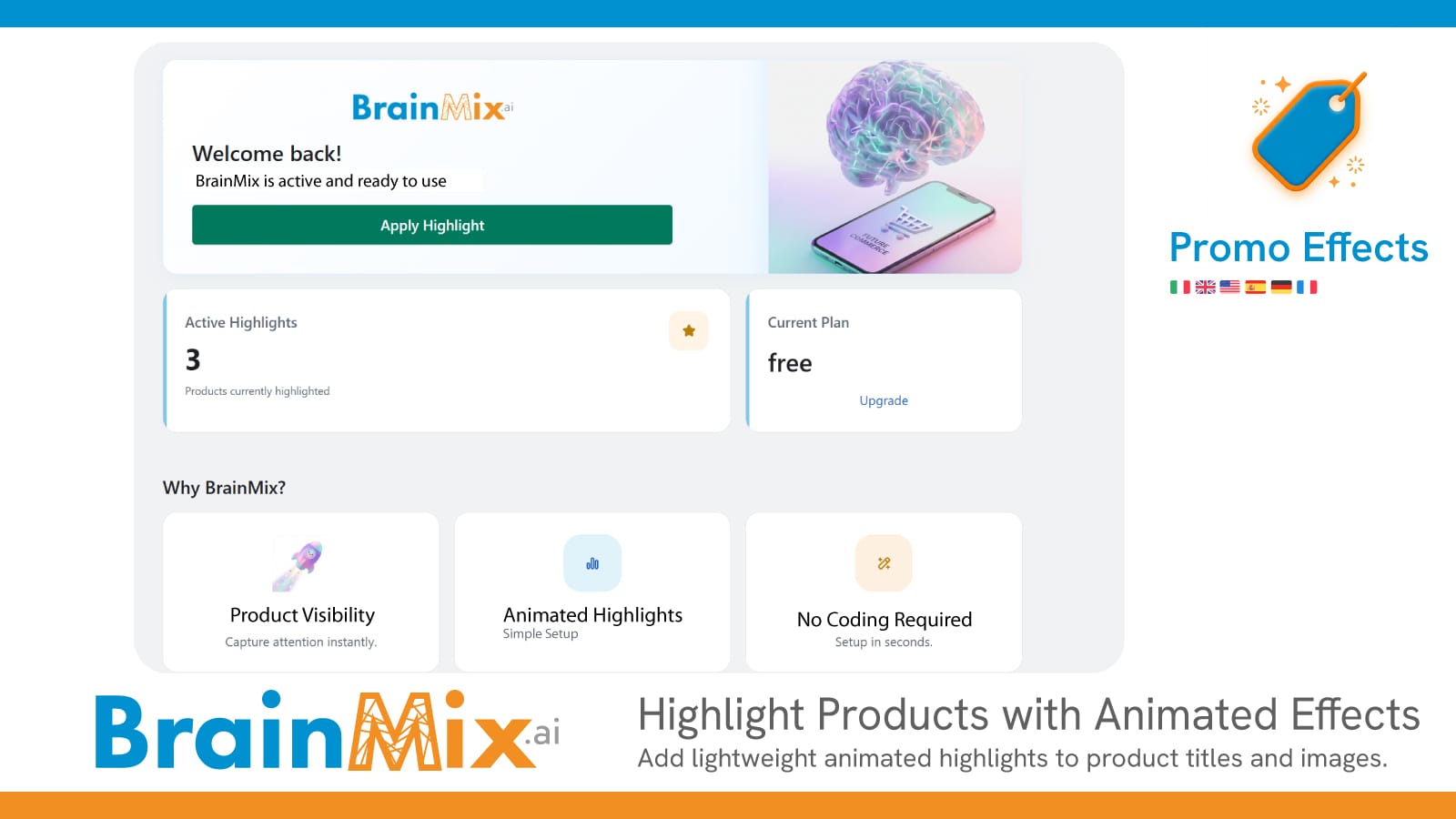
From your Dashboard, click on "Create Promo Effect".
Use the search bar to find the desired product (our search scans your entire store catalog).
Select the product by clicking on it — you’ll see a confirmation checkmark.
2. Choose the Effect
In the right column, browse our effects library.
You can choose whether to apply the effect only to the Title or to both Title and Image (full card).
Select one of the available styles (e.g., Red Blink, Golden Glow, Marker Highlight).
Note: Some premium effects are available only with the PRO plan. You will see a real-time preview with your product name.
3. Apply and Save
Once you’ve selected the product and the effect, a confirmation box will appear.
Click "Apply Highlight" in the top right corner.
The effect will be immediately active on your store!
FAQ – Frequently Asked Questions
Do the effects slow down my website?
No. BrainMix is designed to be lightweight and loads asynchronously, ensuring your Shopify store speed is not affected.
Can I apply multiple effects to the same product?
A single product can have only one active effect at a time. If you apply a new effect to a product that already has one, the system will automatically replace the previous one.
Why can’t I find my product in the search?
Our search scans the entire catalog. Make sure you’ve typed the full name and wait a moment (about half a second) for the app to query your store and display updated results.
What’s the difference between the Free plan and the PRO plan?
- Free Plan: Access to standard effects (Blink, Pulse, Highlight, Fade) with a limit on the number of products that can be highlighted simultaneously.
- PRO Plan: Access to exclusive effects (Glow, Aurora, Rainbow, Typing), logo removal (if present), and unlimited product management.
Are the effects visible on mobile?
Absolutely! All effects are designed with a mobile-first approach and adapt perfectly to any screen size.
I changed a product’s title or image. Do I need to reapply the effect?
The app periodically syncs data, but for safety, we recommend reapplying the effect if you make major changes to the title or main image, so the internal preview remains accurate.